
How to Set Up IPTV on iOS: Easy 5-Minute Guide for iPhone, iPad and Apple TV
Setting up IPTV on iOS is the easiest of any device. Every app comes straight from the App Store, so there is nothing to sideload and no codes to type. This guide walks you through the four best players for Apple devices.
5-Minute Setup
Install one app and add your login.
App Store Only
Every app installs with one tap.
iPhone, iPad, Apple TV
One subscription, every Apple screen.
We Set It Up With You
24/7 help on WhatsApp.
IPTV on iOS: Apple Devices Make It Simple
IPTV on iOS works on the iPhone, iPad and Apple TV you already own. There is no box to buy and no settings to change, so you can go from unboxing to watching in about five minutes.
Apple's App Store keeps every player safe and up to date. With a stable NBN connection and an Apple device, IPTV looks sharp in 4K HDR, with a full TV guide set to Australian time. AU-IPTV delivers 50,000+ live channels and 180,000+ movies and series to your screen.
Before You Set Up IPTV on iOS
Have these three things ready. It saves time and avoids the most common setup mistakes.
Your Login Details
An M3U link or an Xtream Codes login. Request a free trial or choose a plan to get yours.
A Stable Connection
At least 10 Mbps for HD, 15 Mbps for Full HD and 25 Mbps for 4K HDR per stream.
An Apple ID
You need an Apple ID to download apps from the App Store on your iPhone, iPad or Apple TV.
No Sideloading, No Downloader Codes
Unlike Android or Firestick, you do not need to enable Unknown Sources or type any codes. Every app in this guide installs with a single tap from the official App Store.
Download the Player
Open the Apps Store, Search for the player you want and tap Get.
Add Your Login Details
Complete the login process using your subscription details.
Refresh the Player
Refresh or restart the player to load your content.
The 4 Best IPTV Apps for iOS
We tested these four players on iPhone, iPad and Apple TV with our Australian streams. All four install from the App Store.
| App | Where to get it | Free trial | Best for |
|---|---|---|---|
| HotPlayer | App Store | 30 days | Beginners |
| IBO Player Pro | App Store (IRBOETECH) | 7 days | Long-term users |
| UHF | App Store | Free/paid tier | Power users |
| IPTVX | App Store | Free/paid tier | Apple-first users |
Trial lengths and free tiers are set by each app developer and can change.
Fake apps warning: There are counterfeit copies of IBO Player Pro in the App Store. Always check the developer is listed as IRBOETECH before you tap Get. If it says anything else, do not install it.

How to Set Up HotPlayer on iPhone, iPad and Apple TV
HotPlayer (may also appear as Hot IPTV) is our top pick for beginners on iOS. It has the most generous trial of any iOS player, and the MAC address upload means setup takes under three minutes.
Download and open
- Open the App Store and search for HotPlayer or Hot IPTV, then tap Get.
- Open the app and note the MAC address on the main screen.
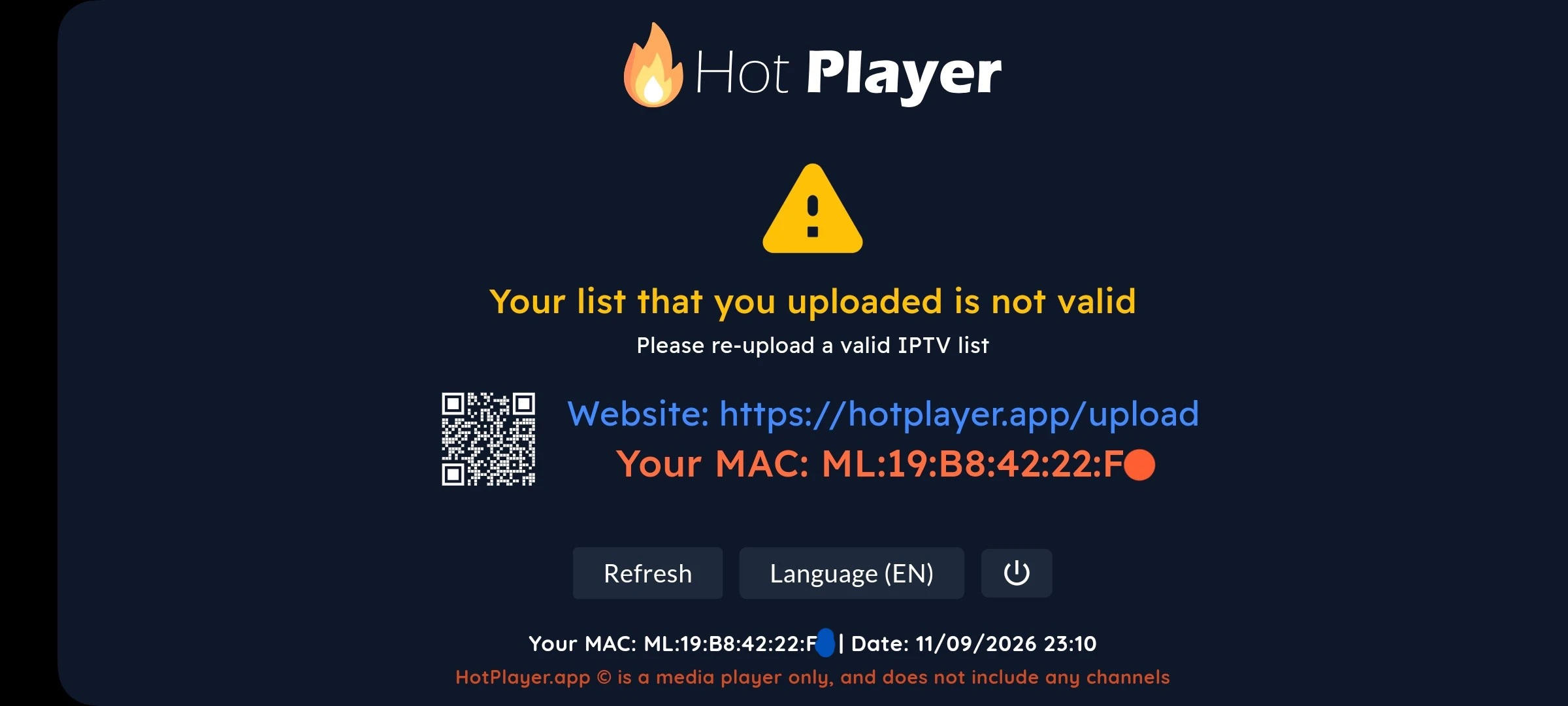
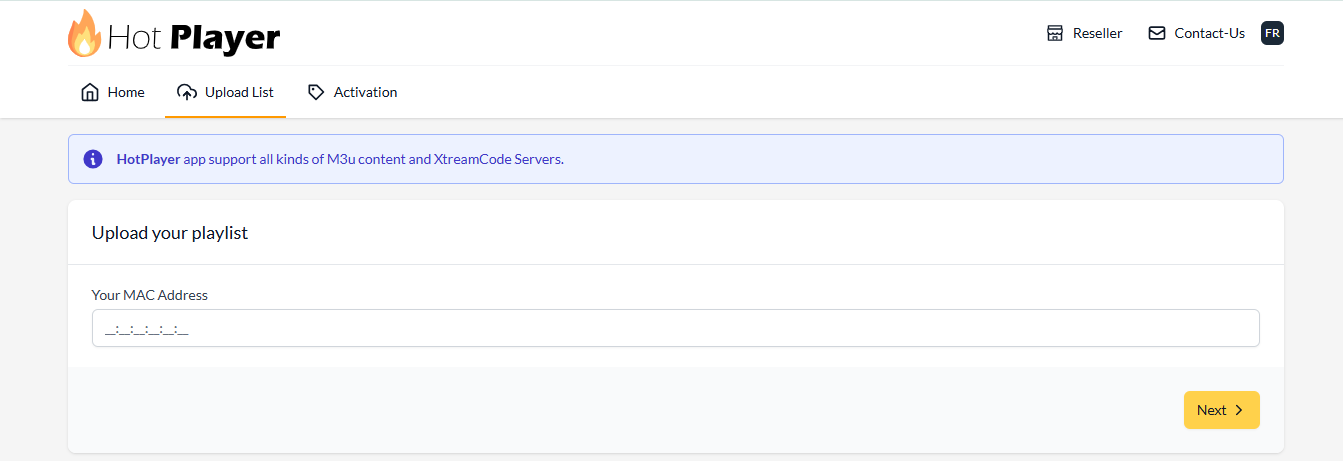
Visit the upload page
- On your phone or computer, go to hotplayer.app/upload.
- Enter your MAC address and press Next.
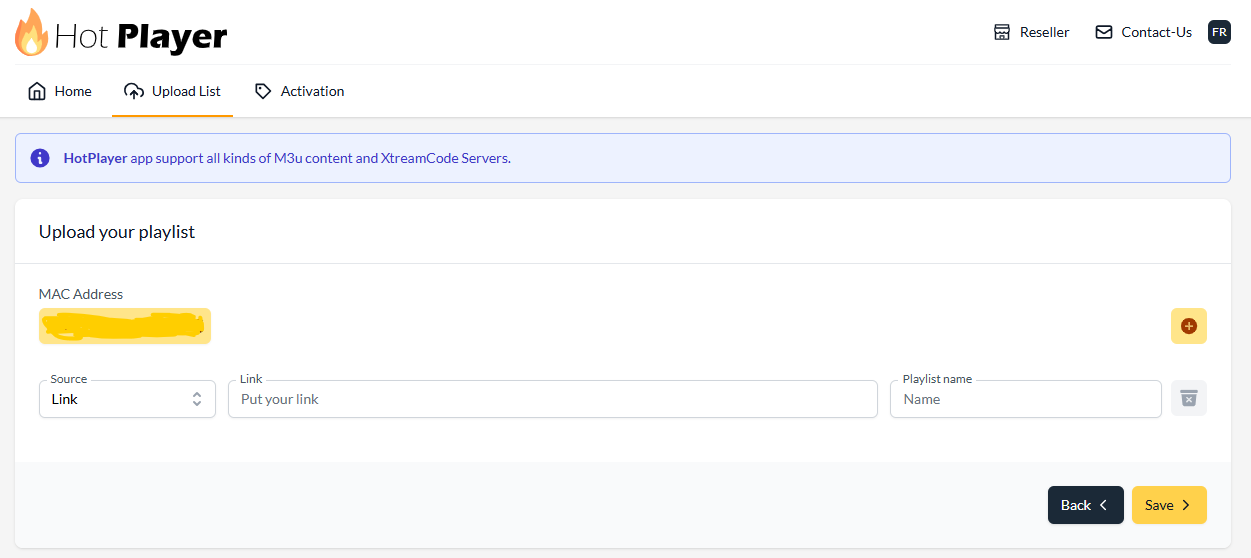
Paste your M3U URL
- Paste the M3U link we sent you, and Check the link starts with http://... not https://....
- Give the playlist a name, for example AU-IPTV, then click Save.
Restart and stream
- Close and reopen HotPlayer.
- Your channels and movies appear automatically.
- After the trial, activate at hotplayer.app/activation.


How to Set Up IBO Player Pro on iPhone, iPad and Apple TV
IBO Player Pro (free for the first 7 days) is known for fast loading and smooth 4K playback. Unlike HotPlayer, it needs both a MAC address and a Device Key to log in to the web portal.
Install from the App Store
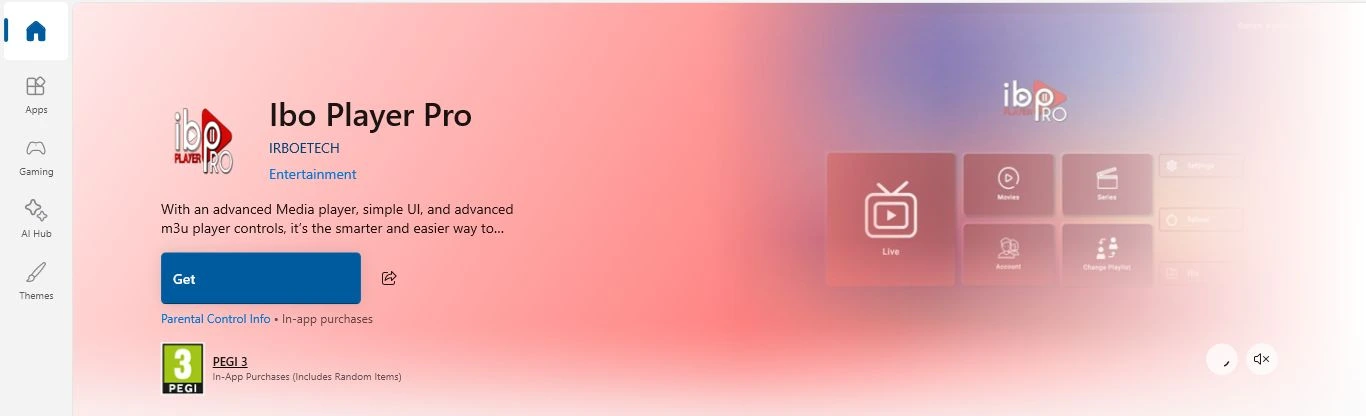
- Search for IBO Player Pro in the App Store.
- Confirm the developer is IRBOETECH, then tap Get.
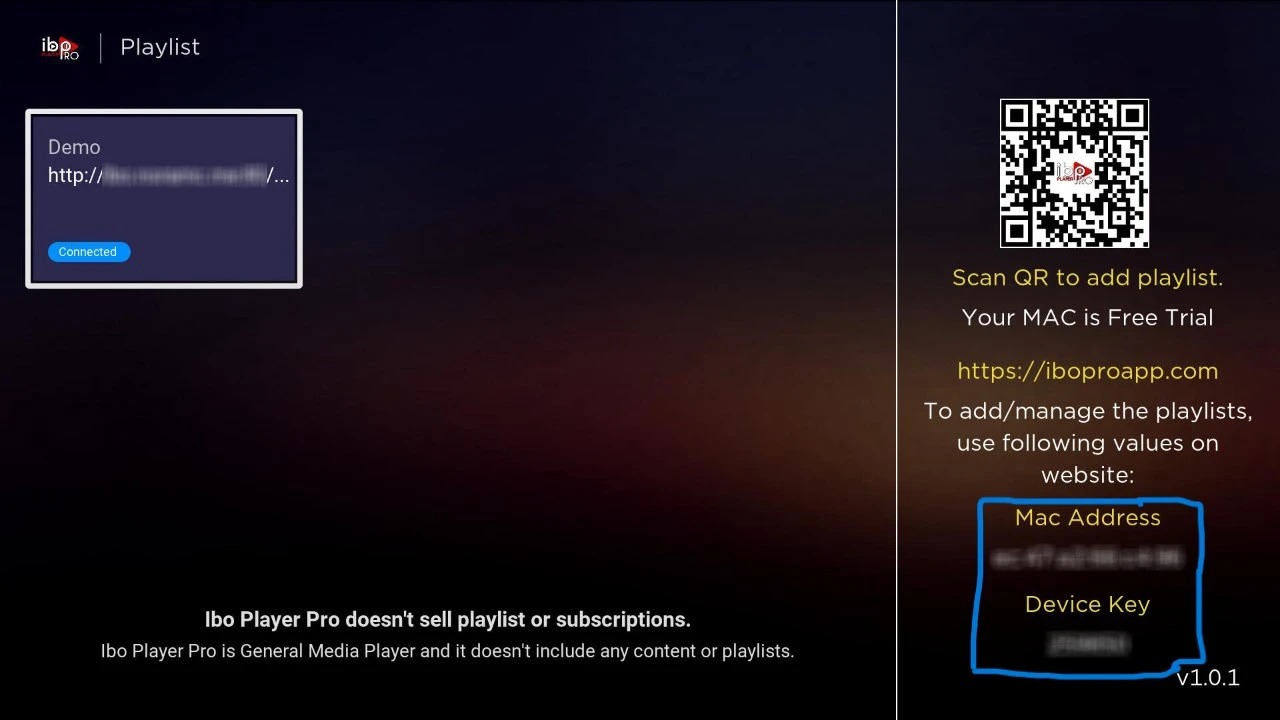
Collect your credentials
- Open the app.
- Write down the MAC Address and Device Key exactly as shown.
Log in and add playlist
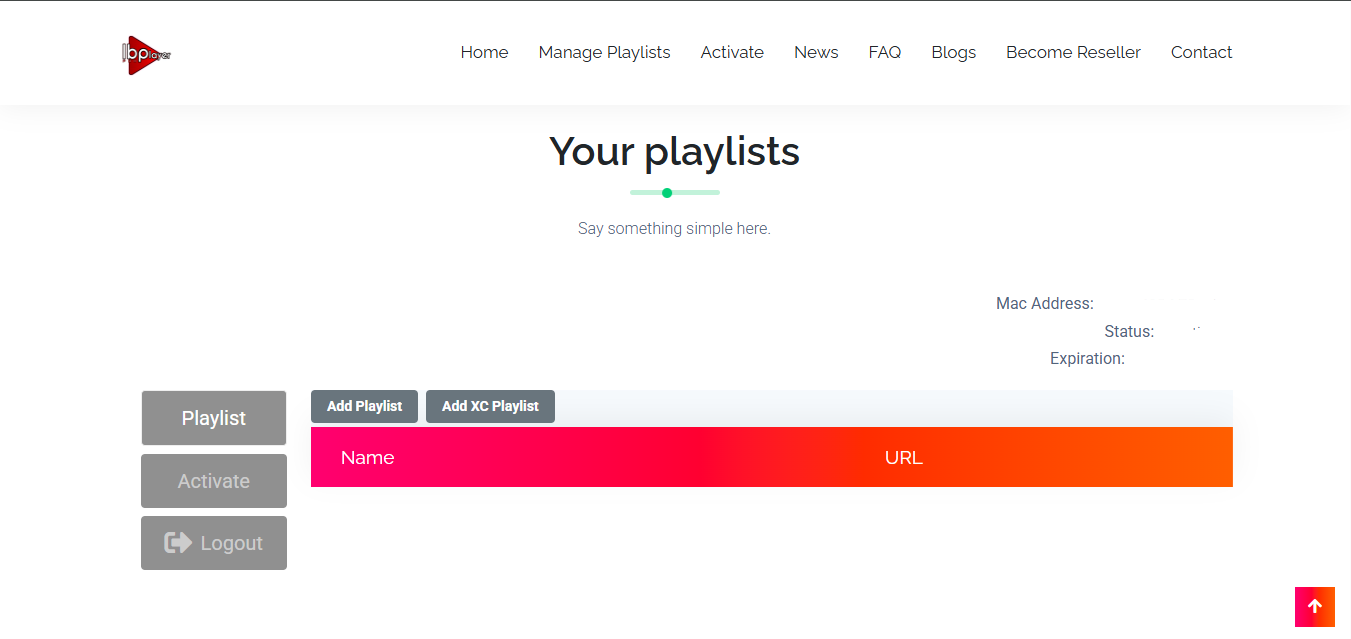
- Go to iboplayer.pro and log in with your MAC and Device Key.
- Click Add Playlist, paste your M3U link starting with http:// and not https://. and give your Playlist any name.
Restart and enjoy
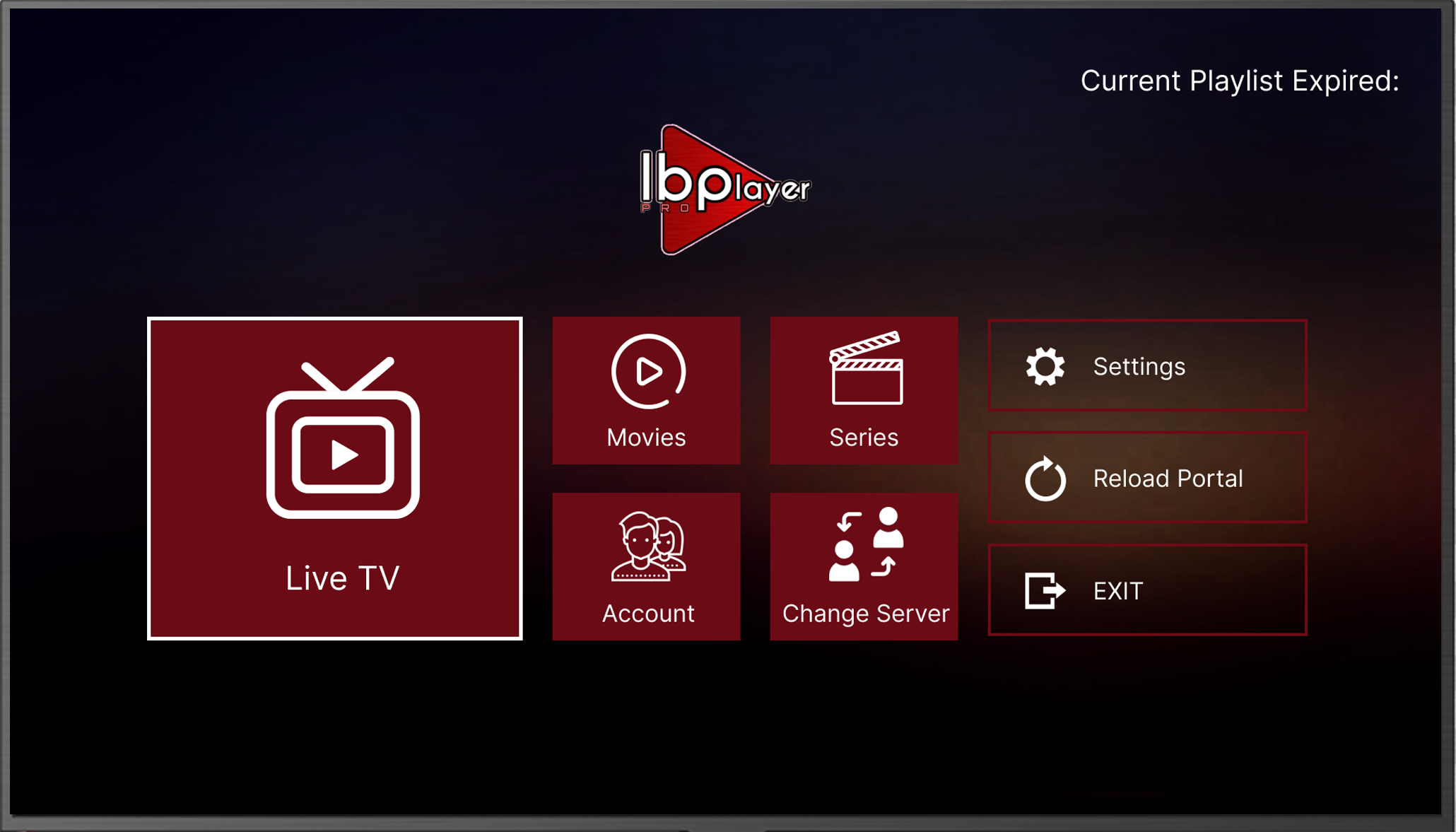
- Close and reopen IBO Player Pro.
- Channels and on-demand titles load automatically.
How to Set Up UHF on iPhone, iPad and Apple TV
UHF is one of the most polished and stable IPTV players for Apple devices. It has a touch-friendly TV guide and Smart Reconnect, which recovers from short stream drops without you doing anything.
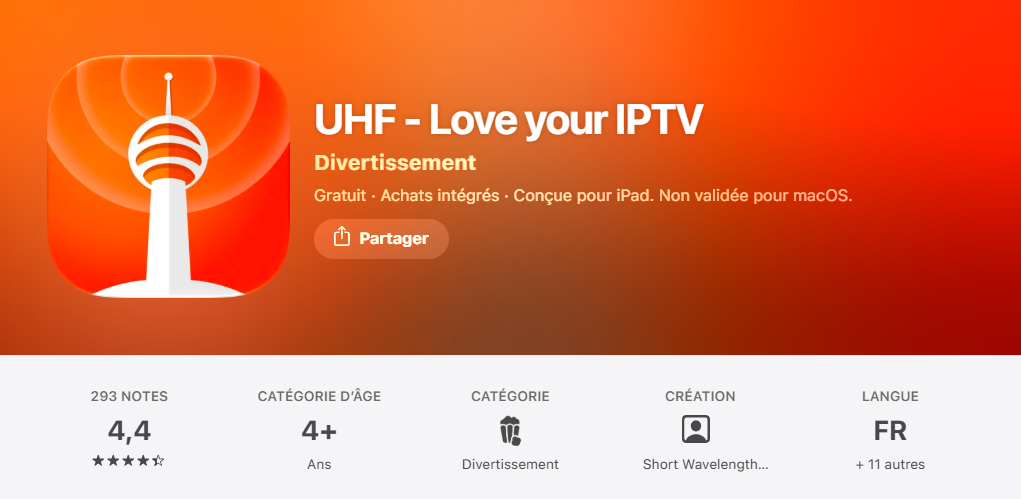
Download UHF App
- Open the App Store and search for UHF or UHF: Love your IPTV.
- Tap Get to install.
Add your playlist
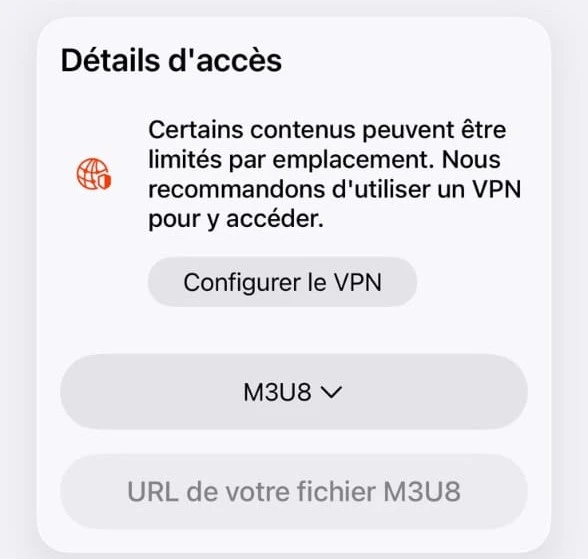
- Launch UHF and tap Continue.
- Tap Create playlist on the left, then press the M3U8 button and select Xtream.
Enter your login details
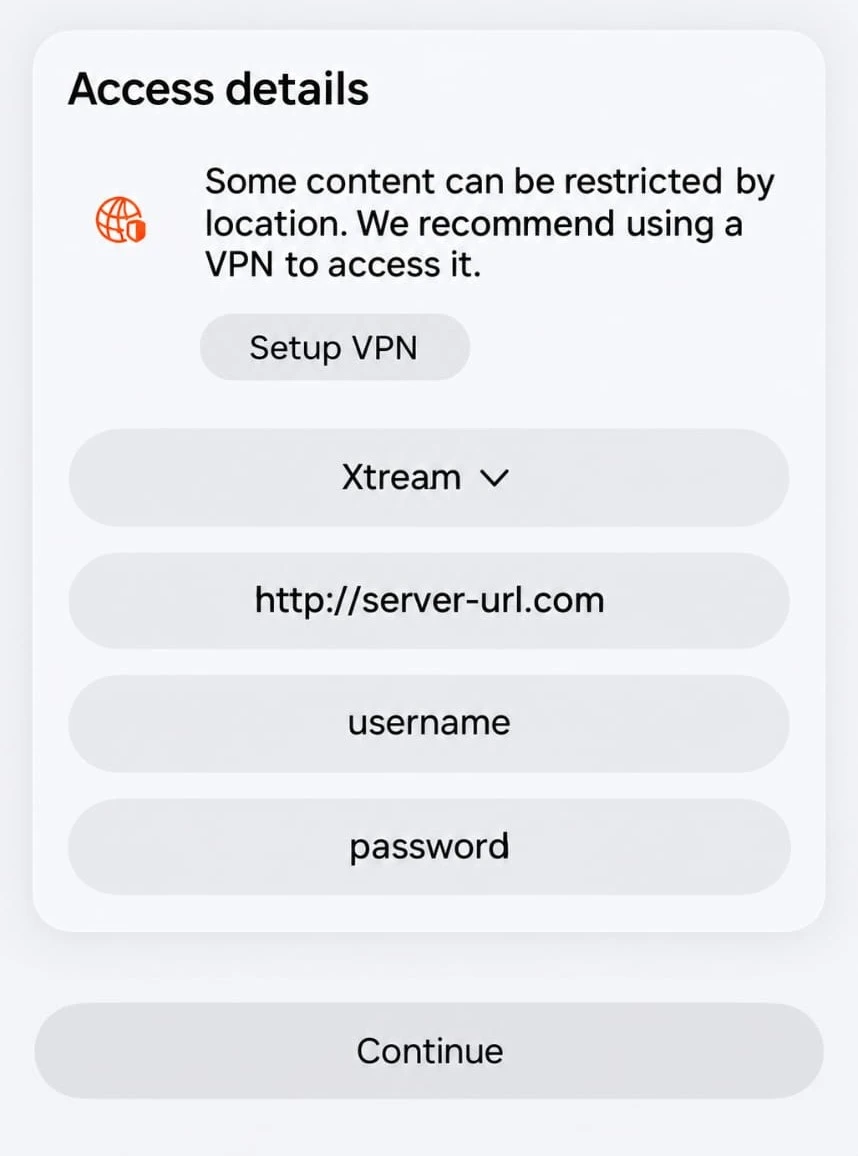
- Enter the Server URL making sure it starts with http://... rather than https://...
- Enter the Username and Password then press continue
Reload and watch
- Refresh or restart the App and wait for the playlist to load.
- Open the playlist to see Live TV section, Movies section and Series section.

UHF tip: Turn on Smart Reconnect in Settings → Playback to recover from brief stream interruptions automatically.
How to Set Up IPTVX on iPhone, iPad and Apple TV
IPTVX is a favourite of Apple-first users. It supports Picture-in-Picture, TV catch-up, parental controls and automatic EPG detection.
Download IPTVX
- Open the App Store and search for IPTVX by Bending X.
- Tap Get. It is free to download.
Add a playlist
- Open IPTVX and tap Add Playlist or the + icon.
- M3U URL: paste the link we sent you.
- Xtream Codes: enter your Server URL, Username and Password.
- check that every link starts with http://... and not https://...
Save and start watching
- Tap Save. The channel list and EPG import automatically.
- Restart the app to load your content properly.
- Use Picture-in-Picture to watch while using other apps.
- Upgrade to the premium version to unlock all features.
Quick Comparison: Which App Is Best for IPTV on iOS?
| Feature | HotPlayer | IBO Player Pro | UHF | IPTVX |
|---|---|---|---|---|
| Free trial | 30 days | 7 days | Free tier | Free tier |
| Setup method | Online upload | Online portal | In-app | In-app |
| Best for | Beginners | Long-term users | Power users | Apple-first users |
| EPG / TV guide | ✓ | ✓ | ✓ (reinvented) | ✓ (auto-detect) |
| VOD support | ✓ | ✓ | ✓ | ✓ |
| 4K / HDR | ✓ | ✓ | ✓ | ✓ |
| Picture-in-Picture | — | — | ✓ | ✓ |
| Smart Reconnect | — | — | ✓ | — |
| Licence on 12-month plan | ✓ Covered | ✓ Covered | — | — |
Our advice: start with HotPlayer. If you want Picture-in-Picture, try IPTVX. For the most polished feel on Apple TV, choose UHF.
Your Apple Device Is Ready for IPTV
No sideloading, no codes and no extra box. Set it up on the NBN in minutes and enjoy 4K HDR on your iPhone, iPad or Apple TV.
Troubleshoot Common IPTV on iOS Issues
Quick fixes for the most frequent problems on iPhone, iPad and Apple TV. Most take less than a minute.
Buffering or freezing
- Switch from Wi-Fi to 5 GHz, or to an Ethernet adapter on Apple TV.
- Close other apps running in the background.
- Lower the stream quality in the app's settings.
- Restart your router for 30 seconds.
Playlist won't load
- Make sure the link starts with http://, not https://.
- Remove any spaces before or after the link.
- Check your Server URL, Username and Password.
- Still empty? Message us on WhatsApp.
App crashes or won't open
- Close the app fully from the app switcher and reopen it.
- Update the app from the App Store.
- Restart your iPhone, iPad or Apple TV.
- Delete and reinstall the app if it still fails.
Black screen or no sound
- Switch to a different channel.
- Check the volume and the audio output on your TV.
- Update iOS or tvOS in Settings.
- Unplug and reconnect the HDMI cable on Apple TV.
IPTV on iOS: Frequently Asked Questions
Start Watching IPTV on iOS Today
Setting up IPTV on iOS takes about five minutes: install your app from the App Store, add your login and start watching.
For other devices, see our full IPTV setup guide. For everything about channels, plans and players, read our complete guide to IPTV for Australia.